
LINDY 4-Port USB 3.2 Gen 1 Active Hub with 5m Cable · 2× USB-A + 2× USB-C · 5Gbps · Optional 5V DC Input
Μάρκα:
Lindy

LINDY 4-Port USB 3.2 Gen 1 Active Hub with 5m Cable · 2× USB-A + 2× USB-C · 5Gbps · Optional 5V DC Input
€61.44 inc. VAT
43388
Delivery
Order Today...
Ships...
Delivery...
ℹ️ Large or fragile items (e.g. monitors) may require extra handling time. We'll keep you informed.
Payment options
Trusted Tech Choice
Buying Benefits
Verified
Competitive EU pricing
Delivered to Cyprus from EU stock
Local warranty support
Συνδεθείτε για να μπορέσουμε να σας ειδοποιήσουμε σχετικά με μια απάντηση
LINDY 4-Port USB 3.2 Gen 1 Hub with 5m Active Cable
4 ports5 m active cable5Gbps2× USB-A + 2× USB-C
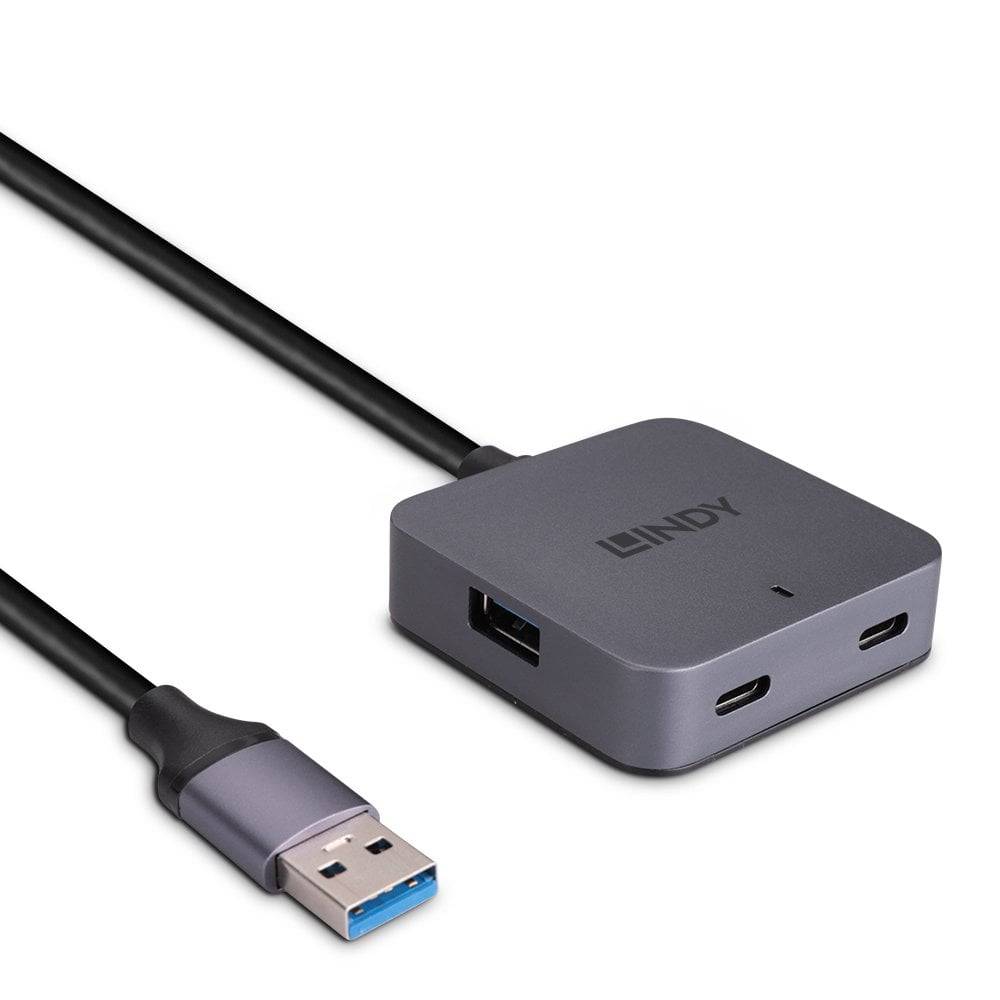
The LINDY 43388 is a 4-port USB 3.2 Gen 1 (5Gbps) hub at the end of a fixed 5 metre active cable, giving you two USB-A and two USB-C ports exactly where you need them — on a meeting-room table, beside a display, or at a workstation that sits far from the PC.
Standard passive USB 3 cables stop working reliably beyond about 3 m. This hub has an active cable with a VL817 hub controller, so webcams, keyboards, flash drives and other USB devices can be placed five metres from the computer. It is plug and play with Windows, macOS and other hosts that have a USB Type-A port, and it runs from USB bus power with an optional 5V DC input for power-hungry devices.
Before you order: The host end is USB Type-A. To connect a USB-C-only laptop you need a USB-C to USB-A adapter. The external 5V power supply is optional and not included.
What's in the Box
- 1 × LINDY 4-port USB 3.2 Gen 1 hub with attached 5 m cable (43388)
What It Means in Practice
- Put USB ports on a conference table, a lectern or a wall-mounted display without moving the PC.
- Two USB-C and two USB-A ports cover older peripherals and new USB-C devices without extra adapters.
- Bus powered for keyboards, mice, webcams and flash drives; add a 5V DC supply (3.5/1.35 mm plug, 0.9A) when you connect several higher-power devices such as portable drives.
- No drivers needed; it works as a standard USB hub on common operating systems.
What Will Not Work
- The USB-C ports are data ports on a hub; LINDY does not publish Power Delivery or laptop charging, so do not use them to charge a laptop.
- It does not add video output — a USB-C monitor or display will not work through this hub.
- High-power devices may disconnect on bus power alone; the optional 5V supply is sold separately.
- Speed is limited to 5Gbps shared between all four ports; it is not a 10Gbps or Thunderbolt hub.
Key Features
5 m active cable
Built-in signal amplification to reach devices up to 5 m away.
2× USB-A + 2× USB-C
Mixed ports for legacy and new peripherals.
USB 3.2 Gen 1
Up to 5Gbps SuperSpeed data, backwards compatible with USB 2.0.
Optional DC input
3.5/1.35 mm socket for an external 5V supply when needed.
Technical Specifications
Frequently Asked Questions
Singular Expert Insight · Buyer's Guide
A hub on a 5 m active cable is the tidy way to bring USB ports to a meeting table or a remote desk without buying separate extenders. If what you need is video, charging and Ethernet from one cable, a dock is the better tool — see our docking stations.
✓ Buy it if you need USB-A and USB-C ports up to 5 m away from a PC with a USB-A port.
✕ Skip it if you need laptop charging, a monitor output or a USB-C host connection.
→ Also consider A USB-C docking station if you want charging, display and USB from a single laptop cable.
Not sure it will power your devices at 5 m? Tell us what you plan to connect and we will check before you order.
Interface
- USB Type-C,
- USB3.0
Length
5m
Χαρακτηριστικά
Product Code
CJ61849
EAN Code
4002888433884
Manufacturer
Lindy