Apple Mac mini with M6 — 12-core CPU, 24GB unified memory and 2TB SSD
M6 12-core CPU12-core GPU24GB unified memory2TB SSD
The Apple Mac mini with M6 (configure-to-order build Z1UA-IN08) is a compact 12.7 cm desktop with a 12-core CPU, 12-core GPU, 24GB of unified memory and a 2TB SSD — the largest internal storage Apple offers on the M6 Mac mini. It suits photographers, small studios, offices and home users who want their whole photo, music and document library on the internal drive instead of juggling external disks. The 24GB memory option also raises memory bandwidth to 170GB/s.
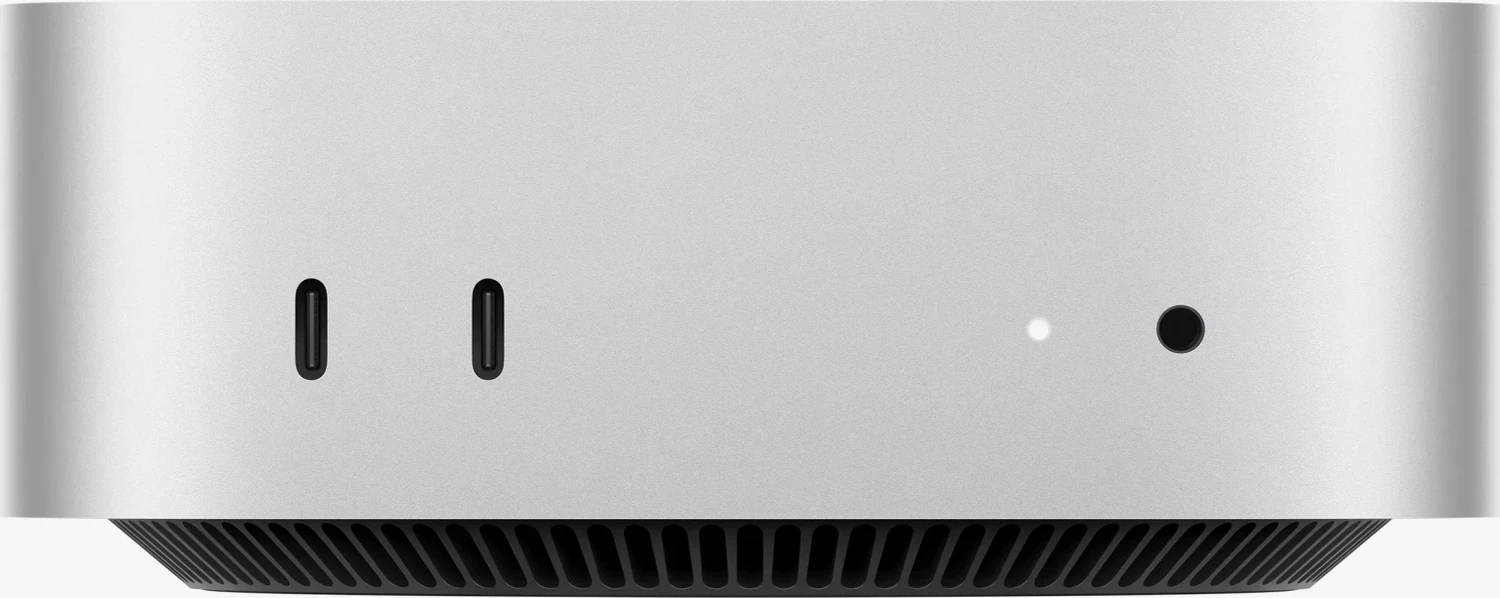
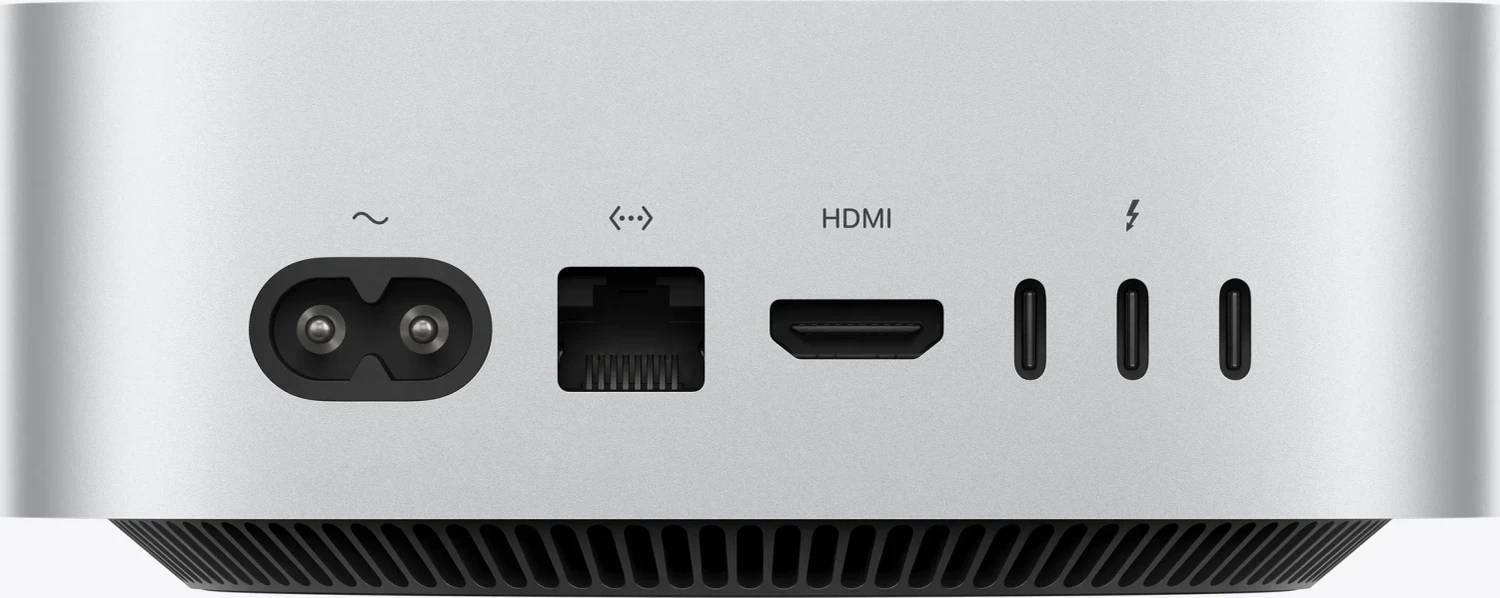
Around the back there are three Thunderbolt 4 ports, HDMI and a 2.5Gb Ethernet port; the front adds two USB-C ports and a headphone jack, so everyday devices do not need a hub. It drives up to three external displays and connects wirelessly over Wi-Fi 7 and Bluetooth 6 through Apple's N1 chip. There is no screen, keyboard or mouse in the box — you use your own or add them with the order.
Before you order: This is a configure-to-order build. Memory, storage and the Ethernet option are fixed at the factory and cannot be upgraded later — 2TB is the maximum storage for the M6 Mac mini, and memory goes up to 32GB only at the factory.
What's in the Box
- Mac mini (Apple M6, 24GB unified memory, 2TB SSD)
- Power cord (1.8 m) — the power supply is built into the Mac mini, there is no external power brick
- No display, keyboard, mouse or peripheral cables are included
What It Means in Practice
- 2TB holds macOS, apps and a large photo library (Lightroom or Photos), music collection and years of documents on the fast internal SSD, so you do not depend on an external drive staying connected. For 4K video projects it gives room to work locally and archive to a NAS afterwards.
- 24GB of unified memory is shared by the CPU and GPU. That is plenty for Office, Teams and Zoom, dozens of browser tabs, Lightroom and Photoshop, Xcode for small and medium projects and light 4K editing — the setting most people should choose for a Mac they keep for several years.
- The 12-core CPU combines 2 super cores, 4 performance cores and 6 efficiency cores: fast for everyday and creative work, and very quiet — about 5 dBA at idle. For long video exports, 3D and large code builds, the M5 Pro Mac mini has much more CPU and GPU power.
- The 2.5Gb Ethernet port works on any existing gigabit network and reaches 2.5Gb/s with a 2.5GbE switch or NAS port. The Thunderbolt 4 ports run up to 40Gb/s for external SSDs and docks; the two front USB-C ports are USB 3 at up to 10Gb/s.
- Up to three external displays: two at up to 6K 60Hz or 4K 165Hz plus a third at up to 5K 60Hz over Thunderbolt or 4K 60Hz over HDMI. With two displays, one can run up to 8K 60Hz, 5K 120Hz or 4K 240Hz.
What Will Not Work
- Windows does not run natively — there is no Boot Camp on Apple silicon Macs. Windows on Arm runs only inside virtualisation software such as Parallels Desktop, and some x86 Windows drivers, older hardware utilities and anti-cheat games will not run.
- External GPU (eGPU) enclosures are not supported on Apple silicon.
- Memory cannot be added later, and the internal SSD is not a standard M.2 drive — an off-the-shelf NVMe SSD will not fit.
- The ports are Thunderbolt 4 (40Gb/s), not Thunderbolt 5 — Thunderbolt 5 devices work, but at Thunderbolt 4 speed. If you need Thunderbolt 5, choose the M5 Pro Mac mini.
- The HDMI port drives a third screen only at up to 4K 60Hz, and monitors with only VGA or DVI need an active adapter.
Key Features
Apple M6 chip
12-core CPU (2 super cores, 4 performance cores, 6 efficiency cores), 12-core GPU with Neural Accelerators and hardware-accelerated ray tracing, and Apple's dual 16-core Neural Engine.
2TB internal SSD
The maximum storage option for the M6 Mac mini — room for large photo and media libraries without external drives.
Ports for a full desk
Three Thunderbolt 4 ports (up to 40Gb/s, USB4, DisplayPort), HDMI with multichannel audio, 2.5Gb Ethernet, two front USB-C ports (10Gb/s) and a headphone jack.
Small and quiet
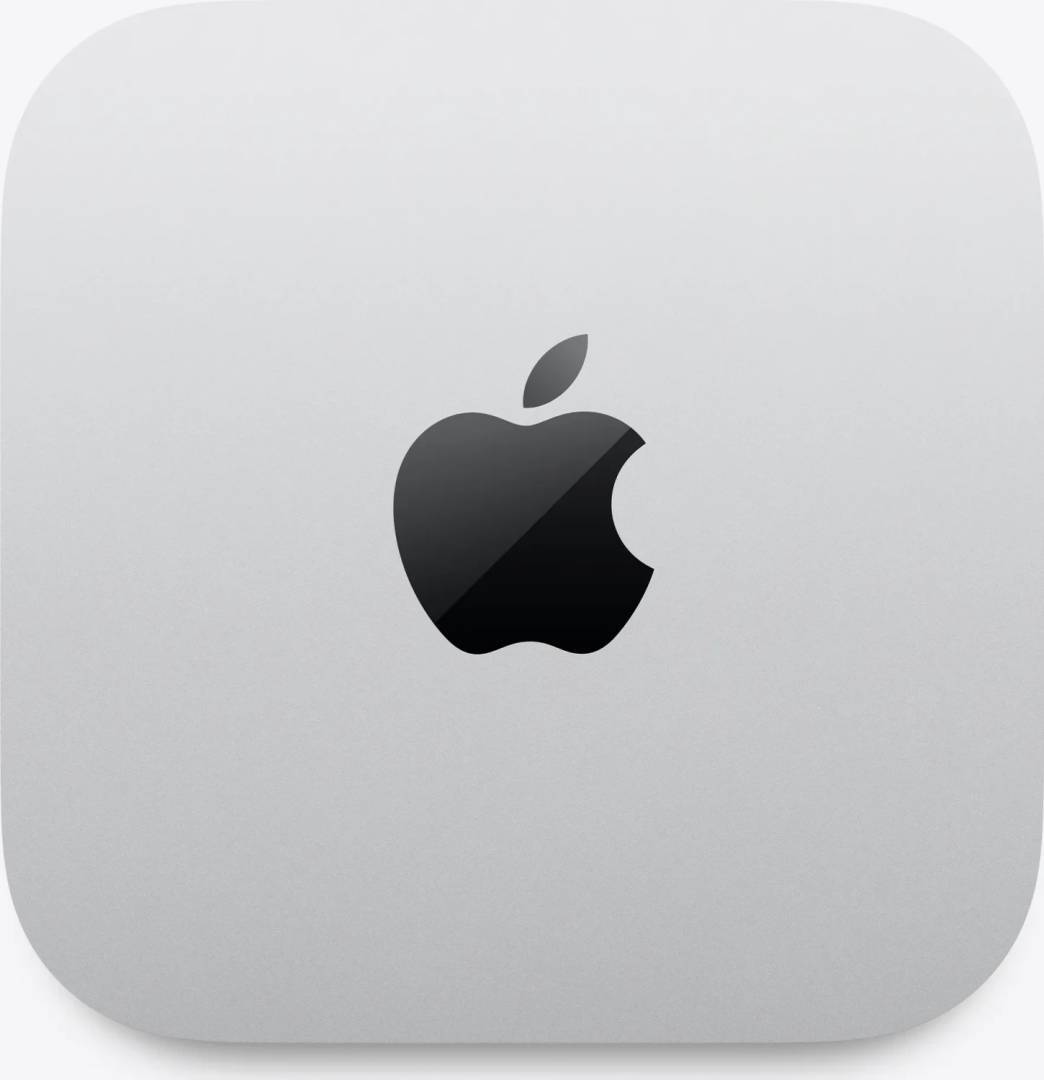
5 x 12.7 x 12.7 cm, 0.67 kg, internal power supply and about 5 dBA at idle, with Wi-Fi 7, Bluetooth 6 and Thread via the Apple N1 chip.
Technical Specifications
| Identification |
| Part Number |
Z1UA-IN08 |
| Base configuration |
MHQK4 (Mac mini M6) — configured with 24GB unified memory and 2TB SSD |
| EAN / GTIN |
Configure-to-order build — no retail EAN |
| Brand |
Apple |
| Model |
Mac mini (M6) |
| Processor |
| Chip |
Apple M6 |
| CPU |
12-core (2 super cores, 4 performance cores, 6 efficiency cores) |
| GPU |
12-core, Neural Accelerators, hardware-accelerated ray tracing |
| Neural Engine |
Dual 16-core |
| Memory bandwidth |
170GB/s (24GB configuration) |
| Memory & Storage |
| Unified memory |
24GB (not upgradeable after purchase) |
| Storage |
2TB SSD |
| Ports |
| Back |
3x Thunderbolt 4 (USB-C): Thunderbolt 4 up to 40Gb/s, USB4 up to 40Gb/s, DisplayPort |
| HDMI |
1x HDMI with multichannel audio output |
| Ethernet |
2.5Gb Ethernet (100/1000/2500BASE-T, RJ45) |
| Front |
2x USB-C (USB 3, up to 10Gb/s) · 3.5mm headphone jack with high-impedance headphone support |
| Display support |
| External displays |
Up to 3 (up to two over a single Thunderbolt port) |
| Three displays |
Two up to 6K 60Hz or 4K 165Hz + one up to 5K 60Hz (Thunderbolt) or 4K 60Hz (HDMI) |
| Two displays |
One up to 8K 60Hz, 5K 120Hz or 4K 240Hz + one up to 5K 60Hz (Thunderbolt) or 4K 60Hz (HDMI) |
| Wireless & Audio |
| Wireless |
Apple N1: Wi-Fi 7 (802.11be), Bluetooth 6, Thread |
| Audio |
Built-in speaker |
| Physical |
| Dimensions (H x W x D) |
5.0 x 12.7 x 12.7 cm |
| Weight |
0.67 kg |
| Colour |
Silver |
| Power |
100–240V AC, 155W maximum continuous |
| Operating temperature |
10–35°C |
| Operating system |
macOS |
| Warranty |
| Warranty |
1-Year Warranty (Singular) |
| Manufacturer Term |
Apple One-Year Limited Warranty — claims handled through Singular |
Frequently Asked Questions
Is 2TB worth it over 512GB or 1TB?
If you keep a large photo, music or video library on the Mac, yes — internal storage is faster and always there, and it cannot be added later. If your files live in the cloud or on a NAS, a 512GB or 1TB build costs less.
Should I choose 24GB or the 16GB configuration?
24GB is the safer choice for a Mac you keep for years: more apps stay open without slowdown and memory bandwidth rises from 153GB/s to 170GB/s. Memory cannot be added later.
Mac mini M6 or M5 Pro?
M6 is the right choice for office, study, web and photo work. Choose the M5 Pro model if you export video, work in 3D, compile large projects or need Thunderbolt 5 and more GPU cores.
Singular Expert Insight · Buyer's Guide
This M6 build is for people whose data lives on the Mac: 2TB internal storage removes the external-drive clutter, and 24GB of memory keeps it responsive for years. Pair it with a screen from our
PC monitors range — a 27-inch 4K display is the usual match for sharp macOS text. If your work is heavy video, 3D or large software builds, the M5 Pro model is the better buy even with less storage.
✓ Buy it if you keep a large photo, music or document library locally and want a quiet desktop Mac for office, study or creative work.
✕ Skip it if your files are in the cloud or on a NAS (a 512GB or 1TB build is enough), or you need Thunderbolt 5, heavy video/3D performance or Windows natively.
→ Also consider the 512GB or 1TB configurations of the same M6 model, the 10Gb Ethernet option for fast NAS work, or the M5 Pro Mac mini for professional video and 3D.
Need a different configuration? Tell us the memory, storage and Ethernet you need and we will quote the exact Apple build — or send us your monitor model and we will check it fits.