
Peach Printhead Ink Cartridge for HP 302XL Colour (F6U67AE) - Tri-colour CMY - 14 ml - 335 Pages - Remanufactured

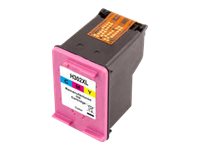
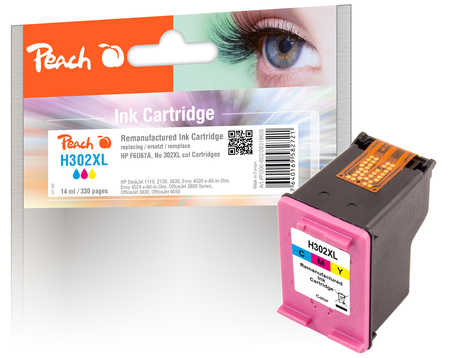


Peach Printhead Ink Cartridge for HP 302XL colour (F6U67AE)
The Peach printhead ink cartridge for HP 302XL colour (F6U67AE) is a compatible cartridge with 14 ml of tri-colour (cyan, magenta, yellow) ink, made for HP DeskJet 1110/2130/3630, ENVY 4520 and OfficeJet 3830/4650/5220 printers and for anyone who wants lower running costs than the original HP 302XL colour.
Peach rates it at 335 pages. It is a remanufactured cartridge: an original shell, cleaned, refilled and tested, so it fits and seats exactly like the original. It drops into the same slot as the original - no adapters, no software.
It suits home offices, students and small businesses that print regularly and want a spare cartridge on the shelf without paying original-brand prices. Peach publishes the full printer list for this article - 47 models - and it is reproduced in the specifications below, so you can match your exact model before ordering.
What's in the Box
- 1 x tri-colour (cyan, magenta, yellow) printhead cartridge, 14 ml
- Retail packaging - no printer, cables or software
What It Means in Practice
- Expect around 335 pages per cartridge at standard document coverage; photos and full-page graphics use more ink.
- Remove the empty cartridge, take the new one out of its bag, peel off any protective tape over the nozzles or contacts and click it into the same slot.
- The chip reports to the printer, so the ink-level gauge works normally.
- Published page yields are measured on standard test pages of mixed text and graphics, not photos - real-world numbers depend on what you print.
- Run one alignment page after installing - most HP, Canon, Epson and Brother printers prompt for it automatically.
- If print looks faint after the printer has stood unused for a while, run one nozzle check and one cleaning cycle from the printer menu before judging the ink.
What Will Not Work
- Printers outside the HP 302XL colour list - cartridges and bottles are keyed to their printer family and physically will not fit others.
- Your printer may show a "non-original" or "used cartridge" message on first install; confirm it on the printer panel and printing continues.
- HP printers with Dynamic Security can refuse third-party chips after a firmware update; if you plan to run compatibles, switch automatic firmware updates off in the printer settings.
- When one of the three colours runs dry the whole tri-colour cartridge has to be replaced - the colours are not separable.
- It does not include the original-brand print warranty programme - support for this product runs through us.