
TP-Link Omada OC300 Hardware Controller, Manages up to 500 APs, 100 Switches and 100 Gateways, Cloud Access, 19" Rack
Brand:
TP-LINK

TP-Link Omada OC300 Hardware Controller, Manages up to 500 APs, 100 Switches and 100 Gateways, Cloud Access, 19" Rack
€420.45 inc. VAT


OC300
Delivery
Order Today...
Ships...
Delivery...
ℹ️ Large or fragile items (e.g. monitors) may require extra handling time. We'll keep you informed.
Payment options
Trusted Tech Choice
Buying Benefits
Verified
Competitive EU pricing
Delivered to Cyprus from EU stock
Local warranty support
Please sign in so that we can notify you about a reply
TP-Link Omada OC300 — Hardware Controller for Omada SDN Networks
Up to 500 APs100 switches + 100 gatewaysFree cloud access19" rack-mount, fanless
The TP-Link Omada OC300 is a dedicated hardware controller that centrally configures and monitors TP-Link Omada SDN networks — access points, JetStream switches and Omada gateways — from one interface, on-site or remotely through the free Omada cloud. It is aimed at integrators and IT teams managing hotels, schools, campuses, offices and multi-site businesses.
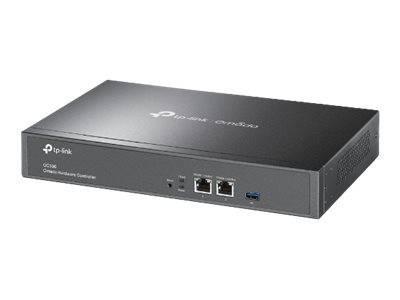
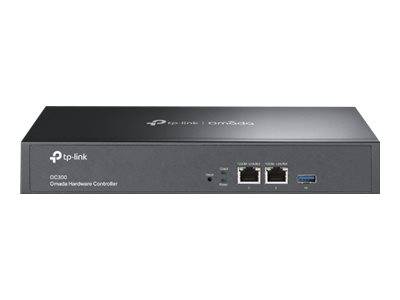
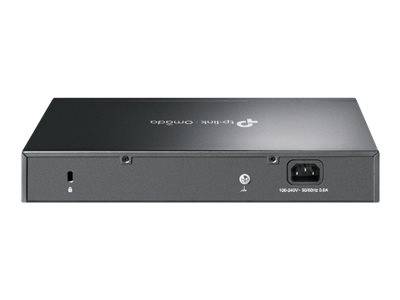
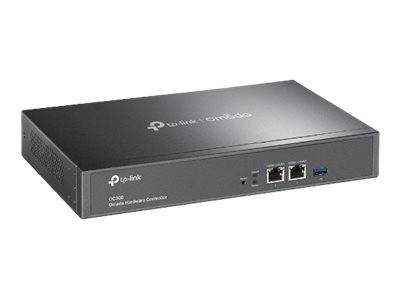
One OC300 manages up to 500 Omada access points, 100 switches and 100 gateways (TP-Link quotes up to 700 devices in total). It has two Gigabit Ethernet ports, a USB 3.0 port for automatic configuration backup, an internal power supply and a fanless metal case that sits on a desk or mounts in a 19-inch rack with the supplied kit.
Before you order: It manages only TP-Link Omada SDN devices running Omada firmware. Standalone TP-Link devices, consumer Deco/Archer products and other brands cannot be managed. It is not a router or gateway and has no PoE.
What's in the Box
- Omada OC300 hardware controller
- Power cord (IEC C13)
- Ethernet cable
- 19" rackmount kit
- Quick Installation Guide
What It Means in Practice
- Configure SSIDs, VLANs, captive portals and firmware upgrades for hundreds of devices at once instead of device by device.
- Runs 24/7 on its own hardware — no PC or server needs to stay on for the controller.
- Free cloud access and the Omada app let you monitor and change sites remotely, with multi-site management for several branches.
- USB 3.0 auto-backup protects the configuration if the controller ever needs to be replaced.
- Fanless and silent, so it can live in an office cabinet as well as a server rack.
What Will Not Work
- Does not manage non-Omada devices or Omada devices in standalone mode.
- Not a router, firewall or PoE switch — you still need an Omada gateway and switches.
- No Wi-Fi radio of its own.
- For very large deployments beyond its limits, Omada software/cloud controllers are needed.
Key Features
Large capacity
500 APs, 100 switches, 100 gateways (up to 700 devices).
Cloud + local
Free Omada cloud access plus on-premises web UI and app.
Auto backup
USB 3.0 port for automatic configuration backup.
Rack-ready, fanless
Metal case, internal PSU, 19" kit included.
Technical Specifications
Frequently Asked Questions
Singular Expert Insight · Buyer's Guide
For multi-AP Omada networks, the OC300 is the set-and-forget way to manage everything from one place without keeping a server running. Make sure every device you plan to manage is an Omada SDN model. Browse compatible Wi-Fi in our access points section.
✓ Buy it if you run (or plan) a TP-Link Omada network with many access points, switches or multiple sites.
✕ Skip it if your network is not Omada or has only a handful of devices that a free software controller can handle.
→ Also consider the smaller Omada OC200 controller for smaller networks.
Tell us how many access points, switches and sites you plan and we will confirm the OC300 is the right controller before you order.
Features - TP-LINK - OC300
More Details
Product Code
03:147582
EAN Code
1210002611268
Manufacturer
TP-LINK