
Zebra Printhead Cleaning Pens for Desktop Label Printers, Box of 12, Genuine Zebra Maintenance Supply
Brand:
Zebra

Zebra Printhead Cleaning Pens for Desktop Label Printers, Box of 12, Genuine Zebra Maintenance Supply
€59.6 inc. VAT
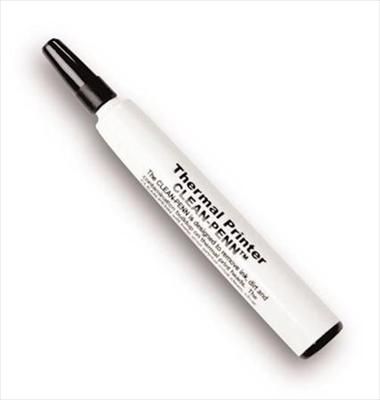
105950-035
Delivery
Order Today...
Ships...
Delivery...
ℹ️ Large or fragile items (e.g. monitors) may require extra handling time. We'll keep you informed.
Payment options
Trusted Tech Choice
Buying Benefits
Verified
Competitive EU pricing
Delivered to Cyprus from EU stock
Local warranty support
Please sign in so that we can notify you about a reply
Zebra 105950-035 — Printhead Cleaning Pens, Box of 12
Genuine Zebra supply12 pensDesktop printersRoutine maintenance
The Zebra 105950-035 is a box of 12 genuine Zebra printhead cleaning pens — the same pen that ships with Zebra desktop label printers such as the GK420d, GX420 and ZD series. Each pen is pre-moistened with cleaning solvent so you can wipe the printhead quickly and safely without loose bottles or cloths. It is for anyone who runs Zebra desktop label printers in shops, warehouses, offices or clinics.
Paper dust, label adhesive and ribbon residue build up on the printhead and slowly reduce print quality: faded areas, streaks and barcodes that start to fail. Regular cleaning is the cheapest way to keep labels sharp and to make an expensive printhead last longer, and a pen makes it a 30-second job.
Before you order: These pens are the type Zebra supplies with its desktop printers. For Zebra mobile printers, Zebra lists a different pen, AN11209-1 (box of 10). For heavy deposits on industrial printers Zebra offers maintenance kits and lapping film instead.
What's in the Box
- 12 × Zebra printhead cleaning pens, part number 105950-035
What It Means in Practice
- Restores print quality when labels show streaks or light patches caused by dirt on the head
- Takes seconds — open the printer, wipe the head, let it dry
- Zebra recommends cleaning after every roll of ribbon (thermal transfer) and regularly on direct thermal printers
- A box of 12 covers a small fleet of printers for months
What Will Not Work
- It does not repair a damaged or burnt-out printhead — white lines from dead elements need a new head
- It is not the Zebra mobile-printer pen (AN11209-1)
- It is not a cleaning card or lapping film for heavy contamination
- It is not for inkjet or laser office printers
Key Features
Pre-moistened
Ready to use, with no separate solvent bottle to spill.
Genuine Zebra
The same pen Zebra includes with its desktop label printers.
Box of 12
Enough for regular cleaning across several printers.
Protects the head
Regular cleaning helps avoid premature printhead wear.
Technical Specifications
Frequently Asked Questions
Singular Expert Insight · Buyer's Guide
Most printhead replacements we see could have been delayed by simple regular cleaning. Keep a box of pens next to each group of printers and make cleaning part of every ribbon or roll change. If print quality is still poor after cleaning, the head or platen may be worn — and if the printer is ageing, compare with a new model in our label printers.
✓ Buy it if you run Zebra desktop label printers and want sharp barcodes and a longer printhead life.
✕ Skip it if you need cleaning supplies for Zebra mobile printers (AN11209-1) or heavy industrial deposits.
→ Also consider a new printhead or platen roller if cleaning no longer restores print quality.
Not sure it fits your setup? Send us the model of your rack, switch or device and we will check compatibility before you order.
Features - Zebra - 105950-035
More Details
Product Code
V360031
EAN Code
5711045363887
Manufacturer
Zebra